

Crypto Hotel Booking: How It Works and What It Costs

A crypto hotel booking works like any other online booking until you pay. You search, pick a room and then, instead of typing in card details, you scan a QR code with your wallet and send the amount shown. On the cost side, you pay the room price in the coin you choose plus a network fee from your wallet. Card charges, such as a foreign transaction fee, don’t come into it, because no card is involved.
This guide walks through how a crypto hotel booking works on Flyfi, where each fee comes from and how to keep extra costs to a minimum.
How a crypto hotel booking works
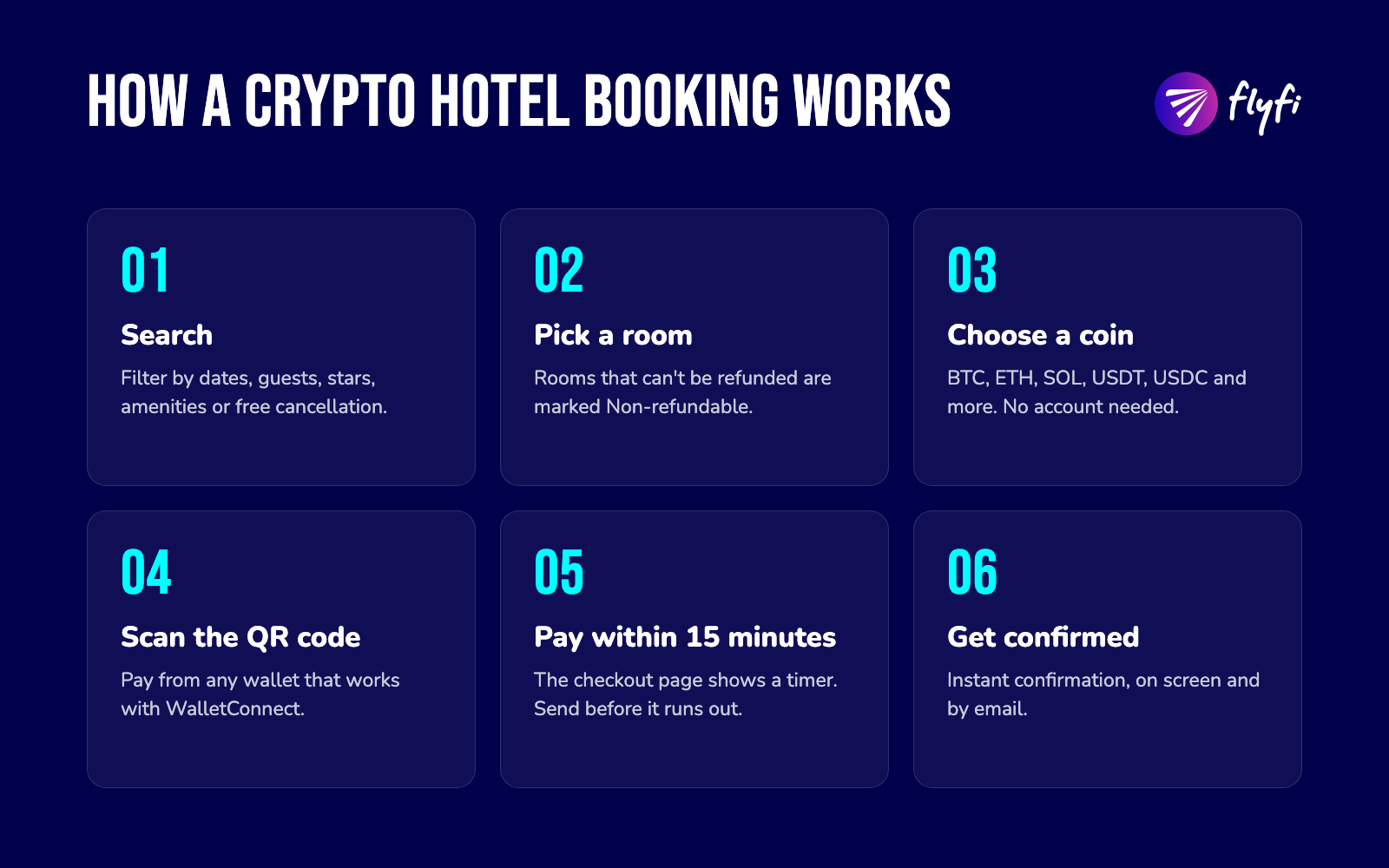
Behind the QR code sits CoinsPaid, the payment processor that handles crypto payments for Flyfi. You can scan the code as a payment address, or connect through WalletConnect, so you never type a long wallet address by hand. You don’t need an account, a bank account or an identity document to pay. The hotel will still ask for ID at check-in, as hotels do everywhere.
With more than 300,000 hotels worldwide on Flyfi, the search filters do most of the work: location, guests, dates, star rating, amenities, facilities, hotel chain and free cancellation. If you want every click spelled out, How to Book a Hotel with Crypto: A Step-by-Step Guide covers the checkout screen by screen.
What a crypto hotel booking costs
There are three parts to the cost of a crypto hotel booking. The first is the room itself, priced in the coin you pick at checkout. The second is the network fee for sending that coin. The third only applies if you don’t hold crypto yet: whatever your exchange charges to buy the coin and move it to your wallet.
The room price
The checkout page shows the amount to send in your chosen coin. Send that exact amount, from a wallet that holds enough of the coin. You can pay with BTC, ETH, SOL, USDT, USDC, BNB, ADA, POL, TRX, BCH, DOGE, LTC, TON or XRP. Stablecoins such as USDT and USDC track the US dollar, which makes it easy to compare the price with what you’d pay in dollars.
The network fee
Every crypto payment pays a small fee to the network that processes it. On Flyfi, that fee comes from what’s left in your wallet, not from the amount you send. So keep a little extra on top of the room price, or the payment may not go through.
How big the fee is depends on the coin’s network and on how busy it is when you send. Ethereum’s guide to gas explains that fees rise when many people want to send at once and fall when demand drops. The same idea applies to Bitcoin. Your wallet shows the fee before you confirm, so you see it in advance.
Getting the coin
If you already hold crypto, this part costs nothing extra. If you buy coins for the trip, your exchange may charge a trading fee and a withdrawal fee to move them to your wallet. Check both before you buy, because they vary from one exchange to another.
Card fees vs network fees
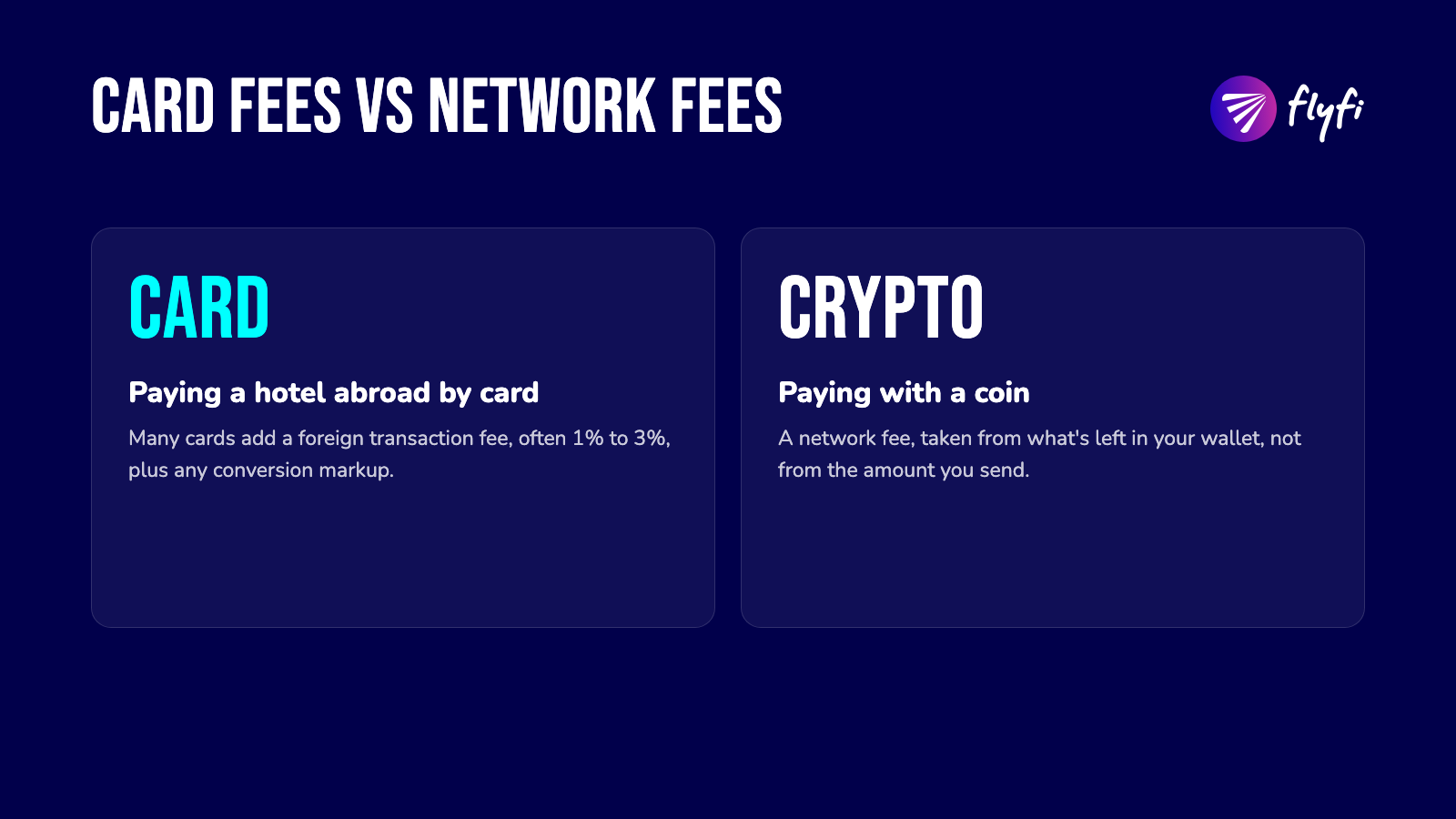
A card fee is a percentage, so a five-night stay costs more in fees than a one-night stay. A network fee doesn’t grow with the size of the payment in the same way. Card fees can also come back more than once, for example when a refund in a foreign currency is converted again. Card Declined Abroad? How to Pay for Your Hotel Anyway covers the other side of paying by card abroad.
Flyfi also takes Visa and Mastercard, but only when every room in the booking includes free cancellation.

How to avoid extra costs on a crypto hotel booking
Most extra costs come from timing and amounts, not from the booking itself. A crypto payment can’t be reversed once you send it, as Bitcoin.org points out, so a few habits save you money:
- Pay inside the timer: The checkout timer gives you 15 minutes. After that, Flyfi can’t guarantee the rate or that the room is still free, so a late payment comes back as the full amount minus transaction fees, and you start again.
- Send the exact amount: If you send too little, the whole amount comes back. If you send too much, you can recover the difference. Neither happens on its own: you get an email with instructions to recover the funds. Some coins, such as BTC, have a minimum transaction amount, so a tiny overpayment may be too small to send back. In that case, contact Flyfi by email or the chat box.
- Keep extra for the network fee: It comes out of your wallet balance, on top of the amount you send.
- Read the stablecoin warning: Only USDT and USDC have a network choice on Flyfi. The checkout page shows a warning about the network for those two, so read it before you scan.
Cancelling a crypto hotel booking
Free cancellation is worth checking for if your plans might change. Cancel a free-cancellation room in time and Flyfi refunds the full amount to the wallet you paid from, in the same coin. You request it by contacting Flyfi, and timing varies case by case. Rooms marked “Non-refundable” aren’t refunded, though in some cases Flyfi might be able to offer a coupon for the same dollar value.
One cost to plan for sits outside the booking: many hotels ask for a card at check-in as a deposit to cover costs. That’s general hotel practice, not a Flyfi rule. To see how a crypto booking compares with spending crypto in other ways, read Spending Crypto vs Holding It: What Changes.
FAQ
How does a crypto hotel booking work?
You search for a hotel, pick a room and choose a coin. At checkout you scan a QR code with your wallet and send the amount shown within 15 minutes. Confirmation is instant, on screen and by email.
Who pays the network fee?
You do, from your wallet. The fee comes from what’s left in your wallet, not from the amount you send, so keep a little extra.
Do I need an account to book?
No. You don’t need an account, a bank account or an identity document to pay. The hotel will ask for ID at check-in.
Can I pay for a hotel with Bitcoin?
Yes. Bitcoin is one of the coins you can pay with, and it’s fast enough for the checkout timer. Can You Pay for a Hotel with Bitcoin? explains more.
Ready to see it for yourself? Search hotels on Flyfi and pay with crypto at checkout.
Popular Posts

Overcoming Crypto Myths: Security and Volatility Debunked
Crypto myths persist despite 560 million global users in 2025, a 9.9% adoption rate driven by practical utility in payments and finance. Security fears stem from high-profile hacks, while volatility concerns overlook maturing markets and stablecoins. As crypto integrates into retail, remittances, and daily transactions, debunking these is key. This post examines evidence from 2025 […]

Case Studies: Real-World Crypto Use in Retail and Remittances
Crypto’s real-world utility shines in retail and remittances, where blockchain enhances efficiency beyond speculation. With 560M users in 2025 (9.9% global adoption), these sectors leverage crypto for lower costs, transparency, and speed. Retail adopts for supply chains; remittances for cross-border flows. This post examines case studies, showing crypto’s normalization in daily economics – excluding travel, […]

The Evolution of Payments: From Cash to Crypto
Payments have transformed from simple exchanges to sophisticated digital systems, mirroring societal and technological progress. In 2025, with global crypto adoption at 9.9% (560M users) and cashless transactions surging, this evolution underscores efficiency, inclusion, and innovation. From ancient barter to blockchain, payments now enable borderless, instant transfers—making crypto as natural as fiat. This post charts […]

Privacy in the Digital Age: Why It’s Essential Beyond Travel
In 2025, digital privacy isn’t a luxury – it’s a necessity. As our lives intertwine with technology, from smart homes to AI assistants, personal data flows endlessly. While platforms like Flyfi prioritize privacy in travel, the need extends far beyond booking trips. Data breaches expose billions, eroding trust and freedoms. Global adoption of privacy tools […]

Introduction to Crypto Travel: Why Pay with Digital Currencies?
What is crypto travel? Crypto travel involves using digital currencies like Bitcoin or Ethereum to book flights, hotels, and experiences seamlessly, just like using fiat money. In 2025, with 559 million global users, it’s a natural, borderless option avoiding conversions and enhancing privacy. In the fast-evolving world of travel and finance, crypto travel is emerging […]
Recent Posts

Can You Pay for a Hotel with Bitcoin?
Yes, you can pay for a hotel with Bitcoin. Pick your room on Flyfi, scan the QR code with your wallet and pay within the 15-minute checkout timer.

Blockchain Life Week 2026: A Dubai City Guide
Blockchain Life 2026 runs 1–2 December at Festival Arena, Dubai, with side events from 27 November. Where to stay, getting around and the week at a glance.

Card Declined Abroad? How to Pay for Your Hotel Anyway
Card declined abroad at a hotel? Learn why it happens, how to fix it on the spot, and how to pay for your stay before you arrive.

How to Book a Hotel with Crypto: A Step-by-Step Guide
Book a hotel with crypto in a few steps: choose your room and coin, scan the QR code with your wallet, and pay within 15 minutes.